Skip to content
Tayyab Hassan

For growing businesses

Custom ERP and business automation.

When departments run on parallel spreadsheets, the fix is not another tool, it is a system built around how your business already works. I build it module by module, in production, without stopping the business.

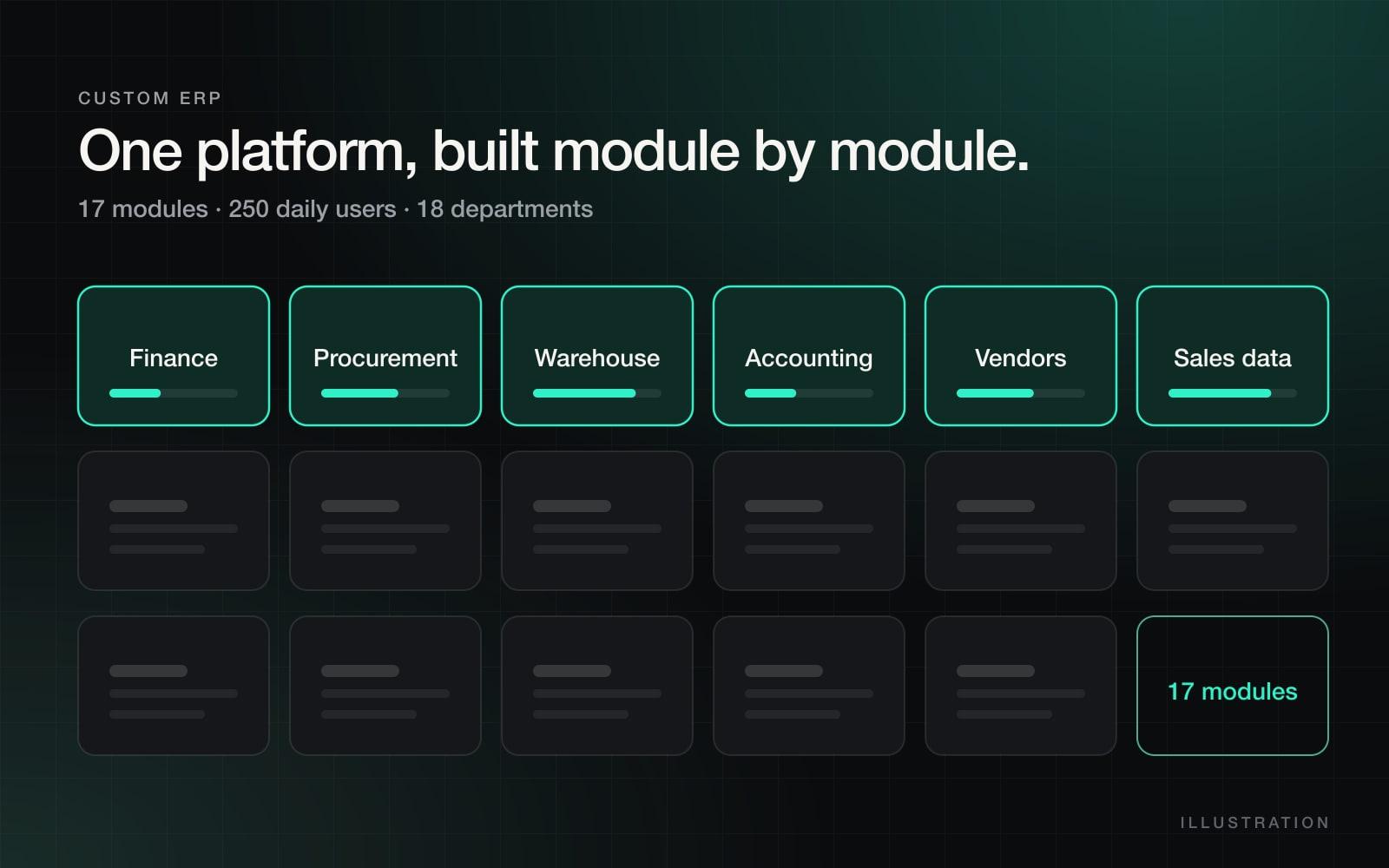
17modules

Shipped on one platform

250people

Using it every day

18depts

On a single system

~100hrs/mo

Manual work removed by one agent

Sound familiar?

A business outgrowing its spreadsheets.

None of these are a software problem yet. They are the symptoms that say one is coming.

The same number exists in three spreadsheets and nobody is sure which is right.

Approvals live in email and WhatsApp, so nothing can be audited later.

Month-end means a week of re-keying and reconciling by hand.

A question that crosses two departments needs a person to go and ask.

You evaluated an off-the-shelf ERP and the implementation quote was larger than the problem.

Every new hire needs a week to learn which file is the real one.

The real cost

Spreadsheet sprawl is not free. It is just unbilled.

Three costs, in the order businesses usually notice them, which is the reverse of how much they matter.

01

The time nobody books

Re-keying, reconciling and chasing is work that never appears on a project plan, because it is spread thinly across everyone. It is usually the single largest line item in the business and the only one nobody has measured.

02

The decisions made on stale numbers

When the report is assembled by hand on a Monday, every decision taken on Thursday is three days old. The cost is not the reporting effort, it is the choices made with the wrong picture.

03

The knowledge that walks out

If a process lives in one person's spreadsheet and one person's head, it leaves when they do. A system is also the cheapest form of documentation your business will ever buy.

The deliverable

Strip away the feature lists and it is one sentence: a number means the same thing in two departments.

Approvals, reporting and access control all follow from that. Nothing follows without it.

Today

  • Sales has a figure. Finance has a different one.
  • The approval was a message somebody has since deleted.
  • The report is assembled by hand, so it is always a few days old.
  • Nobody can answer a cross-department question without asking a person.

After

  • One record, one owner, one number.
  • Every approval is on the record it approved.
  • Reporting reads live data, so the meeting and the system agree.
  • A cross-department question is a page somebody opens.

How I build

Module by module. Into real use.

This is the sequence that produced a 17-module platform used by 250 people across 18 departments.

Map what is really happening

Department by department, including the spreadsheets. Those files are free requirements documentation written by the people doing the work, and they are more accurate than any process document.

Sequence by pain, not theory

The module roadmap starts with whatever costs the most hours today, so the system earns trust before it gets large. Nobody has to believe a roadmap; they can see the first module working.

Ship narrow modules

Each module replaces a specific set of spreadsheets and goes live in weeks. If it does not beat the spreadsheet on day one, it gets fixed before the next one starts.

One record, one owner

Every entity lives once, with a clear owner and an audit trail of who changed what, which is what makes a number mean the same thing in two departments.

Access that matches the org chart

People see their own work first, managers see their department, leadership sees the roll-up. Approvals happen inside the system, so they can be found again later.

Train and hand over

Every department goes live with training and a written guide. The system belongs to your team, not to the person who built it, that is a deliverable, not a promise.

A typical roadmap

What the first six months usually look like.

Indicative, not a template, the order comes from your map, not from mine.

Phase 01Weeks 3–6

The worst spreadsheet

One department stops re-keying. The business sees a working module before committing to the rest.

Phase 02Weeks 6–12

The process either side of it

The handoffs around that module move inside the system, so the data stops being re-entered at the boundary.

Phase 03Months 3–4

Approvals and reporting

Requests stop living in email. Leadership reporting runs on live data instead of a weekly assembly job.

Phase 04Months 4–6+

The remaining departments

Adoption is no longer a fight, by now departments ask to be scheduled rather than being scheduled.

Scope of one module

Every module ships with all of this.

Not a prototype that someone else has to finish. If any of these is missing, the module is not done.

  • A written map of the process as it actually runs today
  • The screens, in the order the work actually happens
  • Migration of the existing spreadsheet data, so it launches full
  • Role-based access matching who should see what
  • An audit trail on every record that matters
  • Reports the department already assembles by hand
  • A short written guide and a training session
  • Two weeks of close support after go-live

Be honest about it

Custom is not always the answer. Here is the comparison.

If your processes are genuinely standard, buy the product and spend the money elsewhere. I will tell you that on the call.

Custom build compared with a packaged ERP and staying on spreadsheets
 Custom buildPackaged ERPStay on spreadsheets
Fit to your unusual processesBuilt around themExpensive customisationPerfect, that is why they exist
Time to first working thingWeeksMonths to a yearAlready here
One source of truthYesYes, if adoptedNo
Audit trail and approvalsBuilt inBuilt inNone
Cost shapeOne-off build, small running costLicence per user, foreverHidden, paid in hours
Survives someone leavingYesYesNo
Who it suitsProcesses that are genuinely yoursStandard processes, willing to changeSmall teams, low volume

Proof

Built and in production.

ERP

A 17-module ERP that 250 people use every day

One system replacing a decade of parallel spreadsheets at Amazify, built module by module across 18 departments without stopping the business, and maintained as their web partner for four years since.

$20k/moSaved in subscriptions17Modules shipped
Multi-department operations2024
Automation

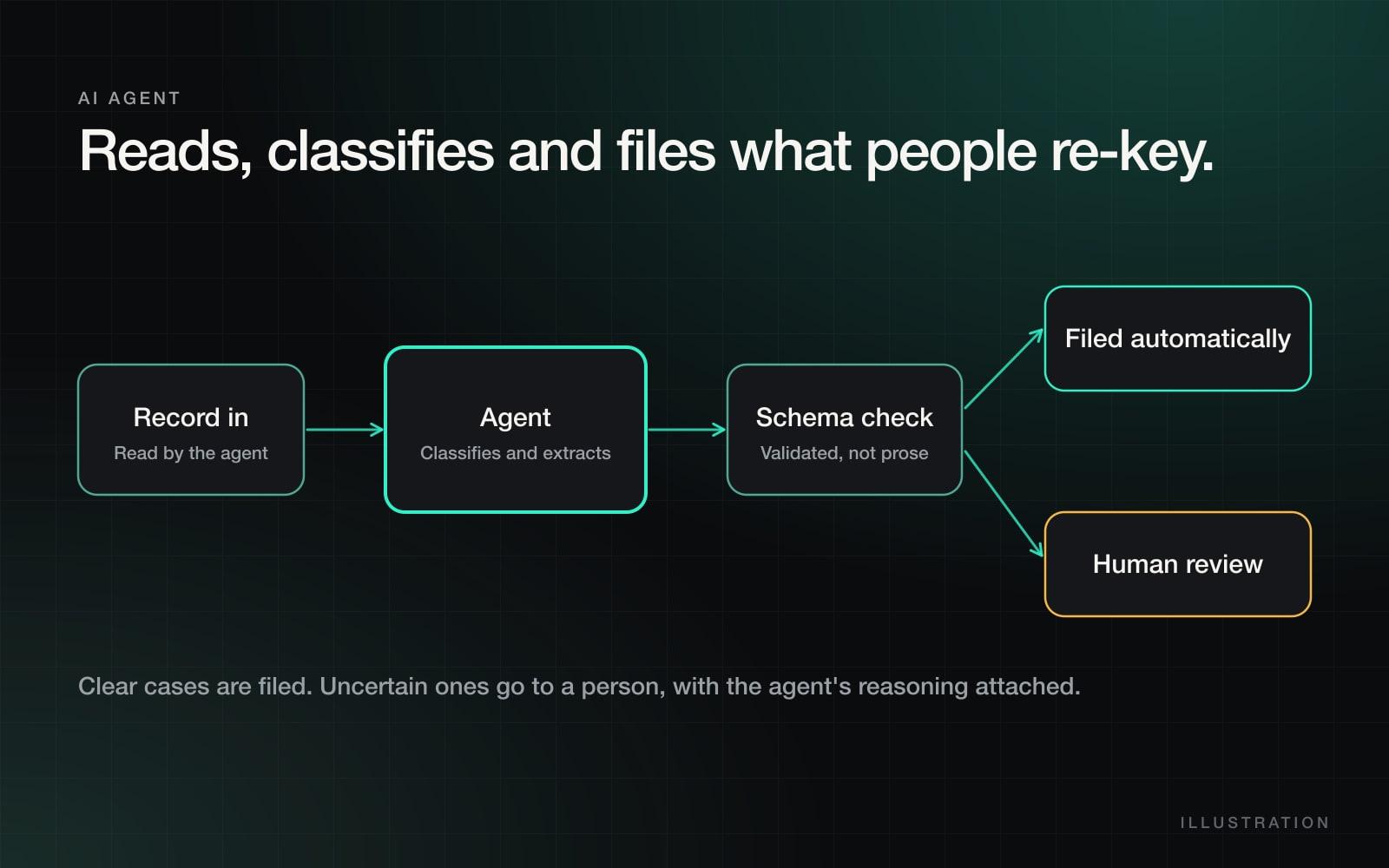
An AI agent that removed ~100 hours of manual data work a month

A review-backed agent that reads, classifies and files the records a team used to copy by hand, with a human check on anything it is unsure about.

~100/moManual hours removedExceptions onlyWork reviewed by a human
Operations / data processing2025

Getting started

The first ninety days, step by step.

01

Days 1–10

Map

I sit with the departments and watch the work. You get a written map of every manual step and a ranked list of what it costs.

02

Days 10–20

Scope

We pick the first module together, and you get a fixed price, a fixed date and a module roadmap for the rest.

03

Days 20–90

Ship

The first module goes into real use with real data, gets fixed based on what people complain about, and the second one starts.

Investment

from $25,000

That is the starting point for a multi-department build, paid per phase rather than up front. You get a fixed quote after the mapping, before anything is built, and the mapping is useful even if you stop there.

What you get

  • One source of truth instead of parallel spreadsheets
  • Role-based access that matches your org chart
  • Modules shipped in order of pain, not in order of theory
  • Training and documentation for every department

Included

  • Department-by-department process mapping
  • Module roadmap with phased delivery
  • Build, deployment and data migration
  • Admin training and handover

Questions

What businesses usually ask.

Why custom instead of an off-the-shelf ERP?

Off-the-shelf works when your processes are standard and you are willing to change them. Mid-sized businesses usually have one or two processes that are genuinely theirs, and that is exactly where packaged systems force expensive customisation, which you then maintain forever against an upgrade path that breaks it.

How long before we see something usable?

The first module is usually in real use within weeks, not at the end of a year-long programme. That sequencing is deliberate: it is what keeps the project from dying in month six, and it means you can judge the work before committing to the rest.

What about the data already in spreadsheets?

Migration is part of each module, not a phase afterwards. Each module launches with the existing data already in it, because a system that starts empty does not get used.

Do we have to stop working while this is built?

No. Modules go live one at a time, and the old spreadsheet stays available as a safety net until the department stops reaching for it. Nothing is switched off on a big-bang date.

What if the first module is wrong?

That is partly the point of shipping something narrow first. A wrong assumption found in week five costs days to fix. The same assumption found at the end of a twelve-month programme costs the programme.

Who owns the code and the data?

You do. The handover includes the code, the deployment, the documentation and the training. There is no part of the system that only works while you keep paying me.

What does it cost to run afterwards?

Hosting and any third-party services, which for a system of this size is usually a small monthly figure rather than per-user licensing. Ongoing support from me is optional and priced separately.

Do you work with businesses in the UAE?

Yes. I work across Gulf business hours from Dubai, with the same direct working relationship, no account layer between you and the person building the thing.
Next step

Start with one department, not a twelve-month programme.

Thirty minutes to map the process that costs you the most hours, and an honest answer on whether custom is the right call.